The best product page examples in 2024 [with best practices]
![The best product page examples in 2024 [with best practices]](https://assets.motive.co/cms/Best_Product_Page_Examples_en_4911a88dcf.jpg)
When a shopper lands on your product page, what should they see? This article includes examples of the best product pages out there, to help you decide what to include in your own product page.
Whether starting from scratch or looking for ideas to improve your product page, you’ll find a bunch of great ideas from brands killing it in the ecommerce space.
What makes a good ecommerce product page?
A good ecommerce product page mixes simplicity and information. Product pages should be easy to navigate, give the customer the information they need and answer any questions they may have. Most product pages will have certain information above and then below the fold.
What does above the fold mean?
Above the fold is the part of the product page that the customer sees when they first visit the page. Below the fold is what they see when they start to scroll.
A good ecommerce product page keeps the above the fold information simple, concise and down to the key information, usually price, discounts, colour and shipping.
Below the fold is where many brands choose to add more detailed information. This information will vary depending on the product being sold, but often includes the specs of the product, size and fit, customer reviews and an FAQ.
What information should a product page include?
The content of your product page will depend on what you sell, the size of your catalogue and a number of other different factors. By reading through the examples below you’ll be able to create a product page that’s a perfect match for your brand and catalogue.
The best ecommerce product page examples in 2023
1. Away Travel
Away travel sells high end suitcases and uses fun product names for its catalogue. Let’s unpack what makes this page work so well.
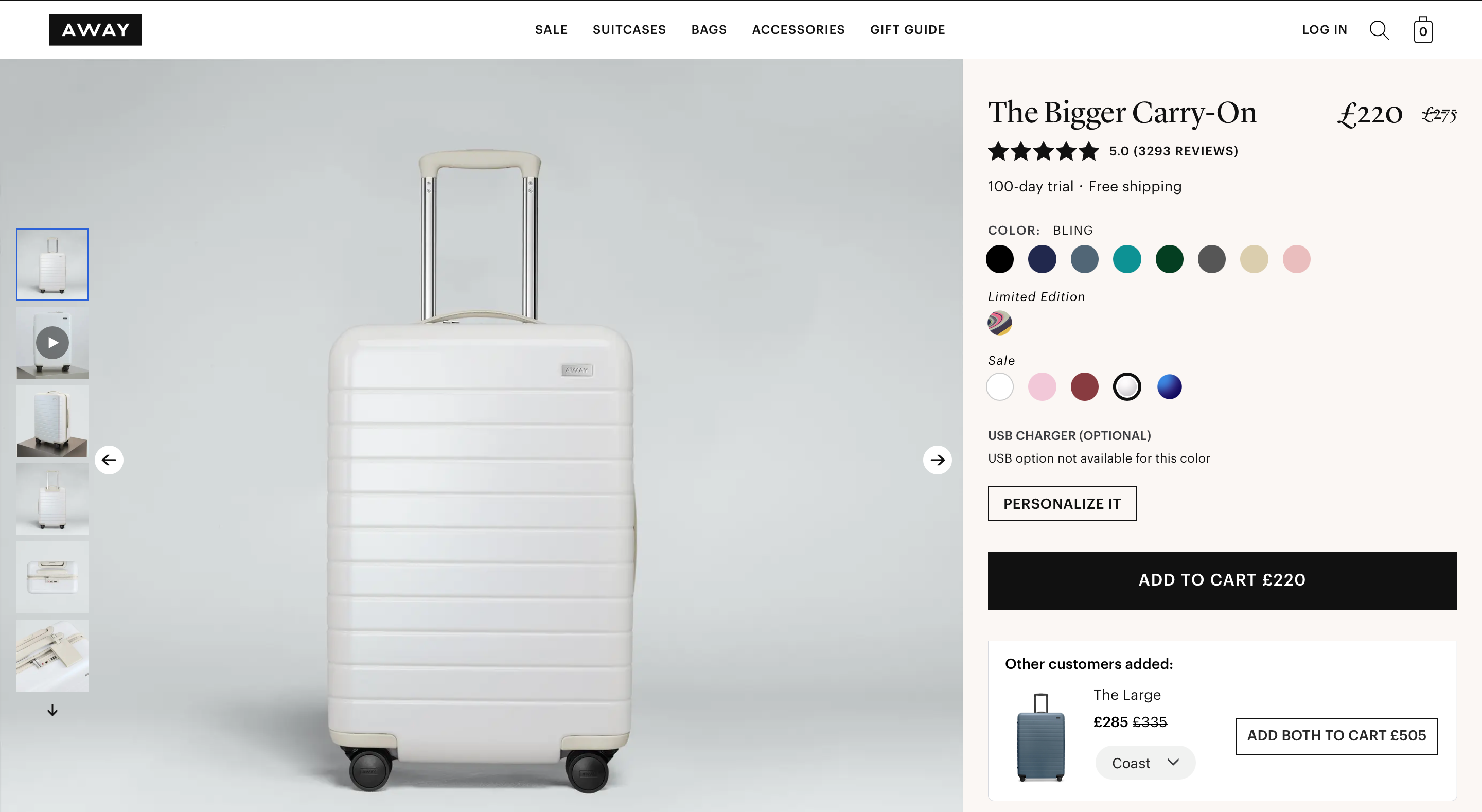
Clever product names and product differentiation Product names should never be left the same as the manufacturer. Away adds colour and detail to its product names that show the brand's fun and creative side.
Product names like The Carry-On or The Expandable Bigger Carry-On are both descriptive and easy to understand, and titles like this work well for smaller catalogues.
While many product pages let shoppers toggle between the size of a product, Away has created individual product pages for each of its suitcase sizes.
Using size as a differentiator shows the brands understanding of its customers and their needs. This naming and differentiation strategy creates an illusion of greater choice that helps justify the high prices.
Away makes it easy to toggle between colours and variations. Its product descriptions have a ‘Read More’ button that expands to show a description that answers the basic questions it knows its customers will have.
Icons make it easy to skim the page, maintaining simplicity. Drop downs for size and returns let customers easily find extra information while always having the buy button close by.
2. Bose
One of the world’s best known brands speaks to both recreational listeners and audio experts at the same time. Here’s how.
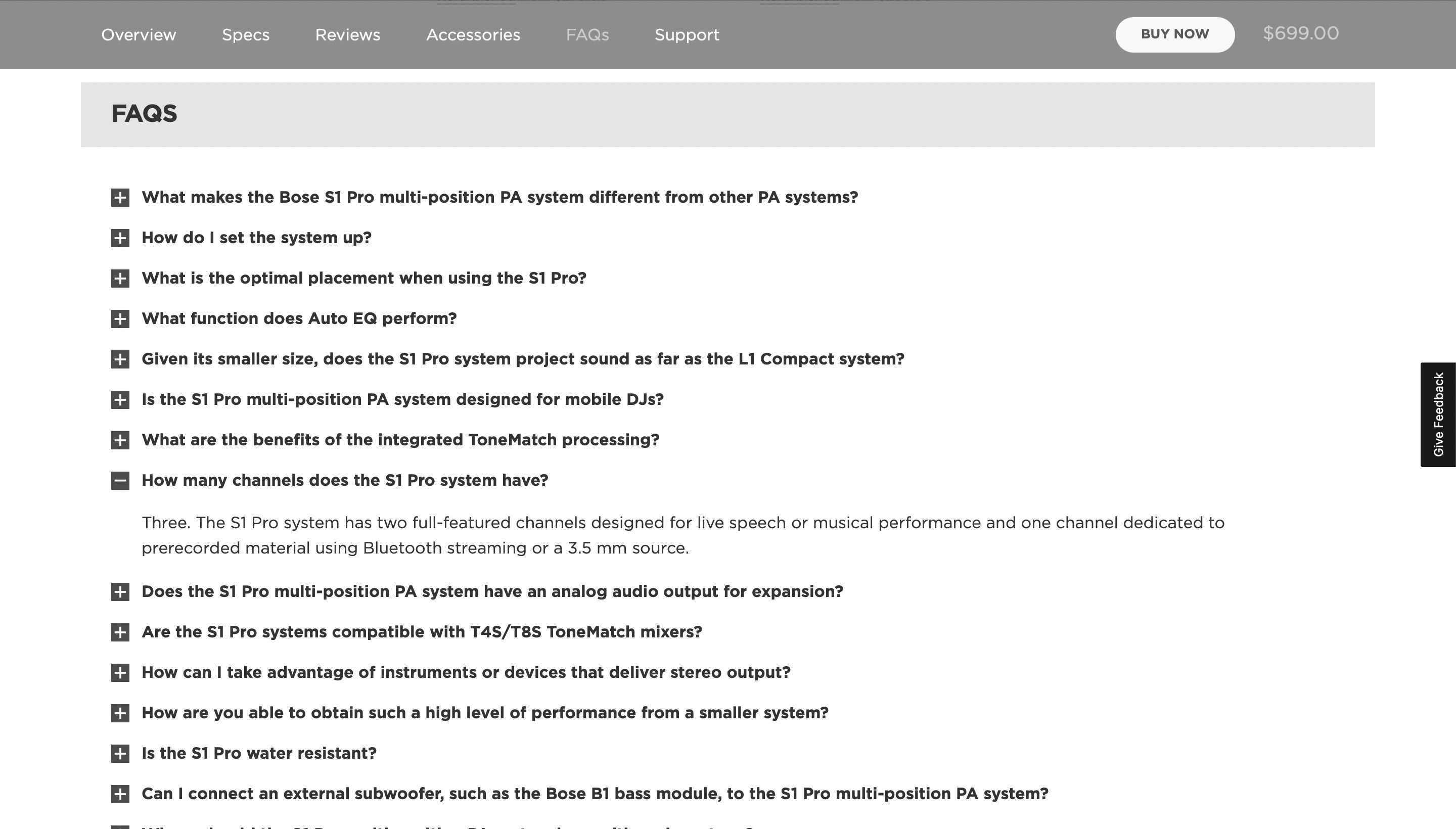
An FAQ that answers even the most avid audio lover’s questions What makes one speaker worth £100 and another £1,000? Bose helps shoppers differentiate with a detailed FAQ.
After scrolling through a visual narrative of the product, Bose displays customer reviews and a detailed FAQ targeted at both novices and nerds. The FAQ answers the most common questions shoppers have, showing Bose’s understanding of its product and its customer.
The FAQ also shows a deeper understanding of the power of a product page. When designed right and optimised for relevant keywords, FAQs on your product page are also great for your SEO.
Many of the questions in the Bose FAQ could be Google searches themselves, and the concise, relevant answers are exactly what Google likes to display.
But if you’re optimising your FAQ for SEO, just make sure that it’s written for search engines and humans.
3. MK Studio
The Danish ceramics store harnesses the power of product images and uses a short and sweet FAQ to make the sale.
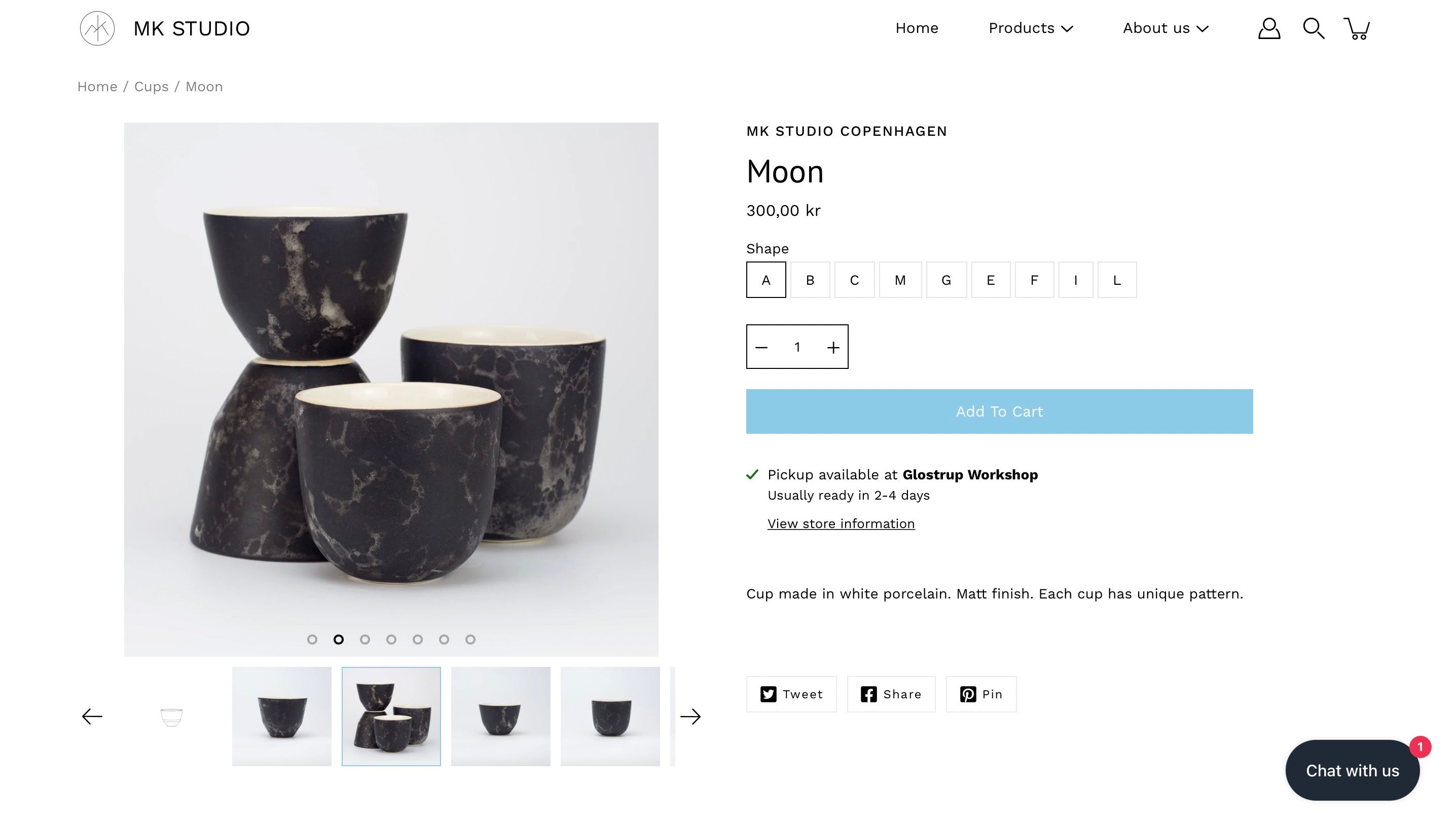
Perfectly sized product images Unlike Away, shoppers choose between size and shape on the product page itself (categorised from A to L), with each option automatically switching to a different product image.
Product styles that are sold out display a box that lets the customer enter their email to be notified when the product returns to stock; a clever way to keep the customer in the sales funnel.
MK Studio’s product photos are beautifully displayed and light (1,000x1,000 pixels and 37KB) which is vital for quick page load speeds.
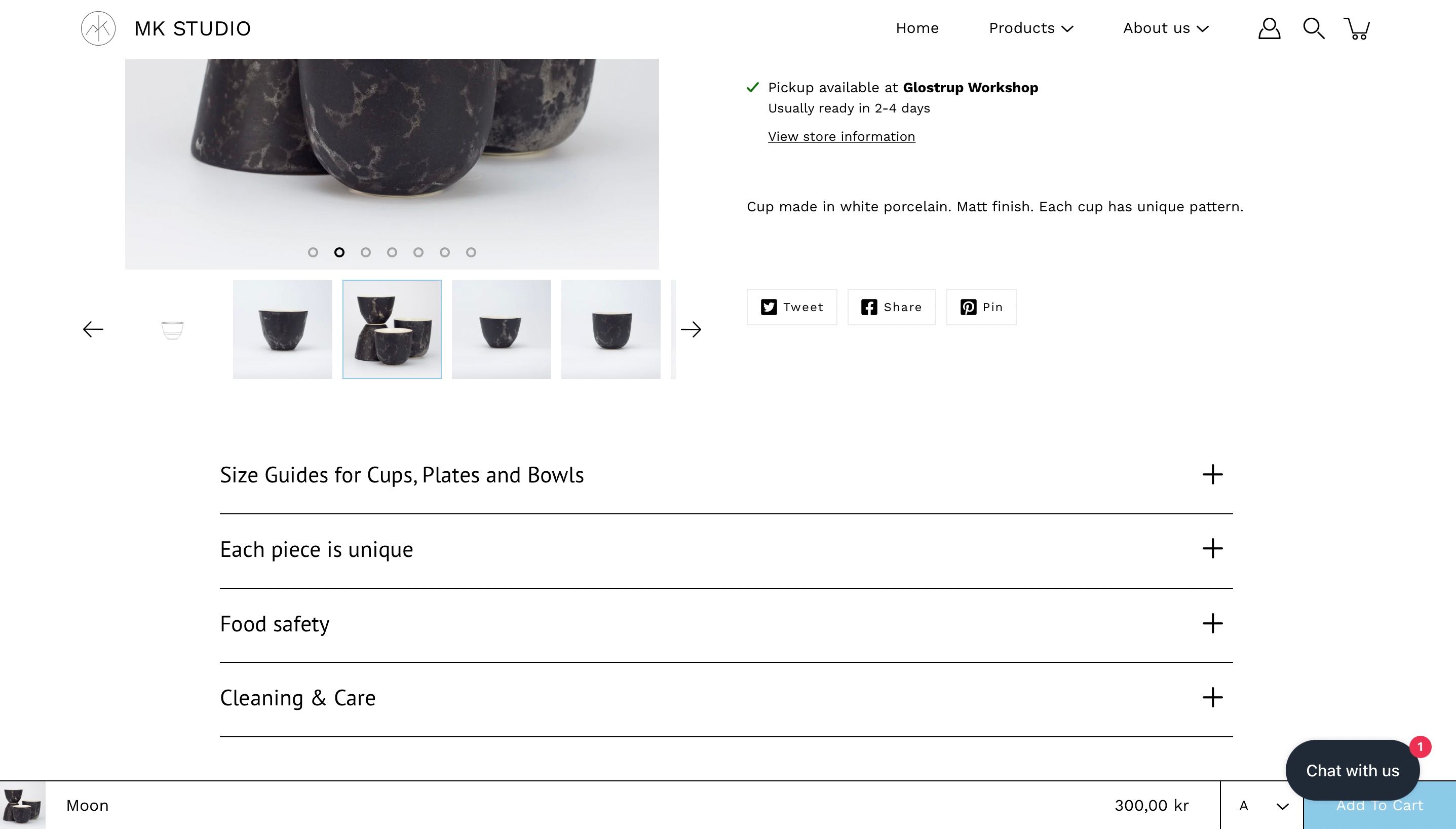
And while Bose may have one of the most in-depth FAQs out there, MK Studio shows that a short and sweet FAQ can also do the job. Its drop down FAQ is identical and present on all pages, and addresses things like cleaning, ceramic sizes and food safety.
4. ASOS
The online fashion retailer makes it easy to navigate its huge catalogue with breadcrumbs, dropdowns and descriptive product names.
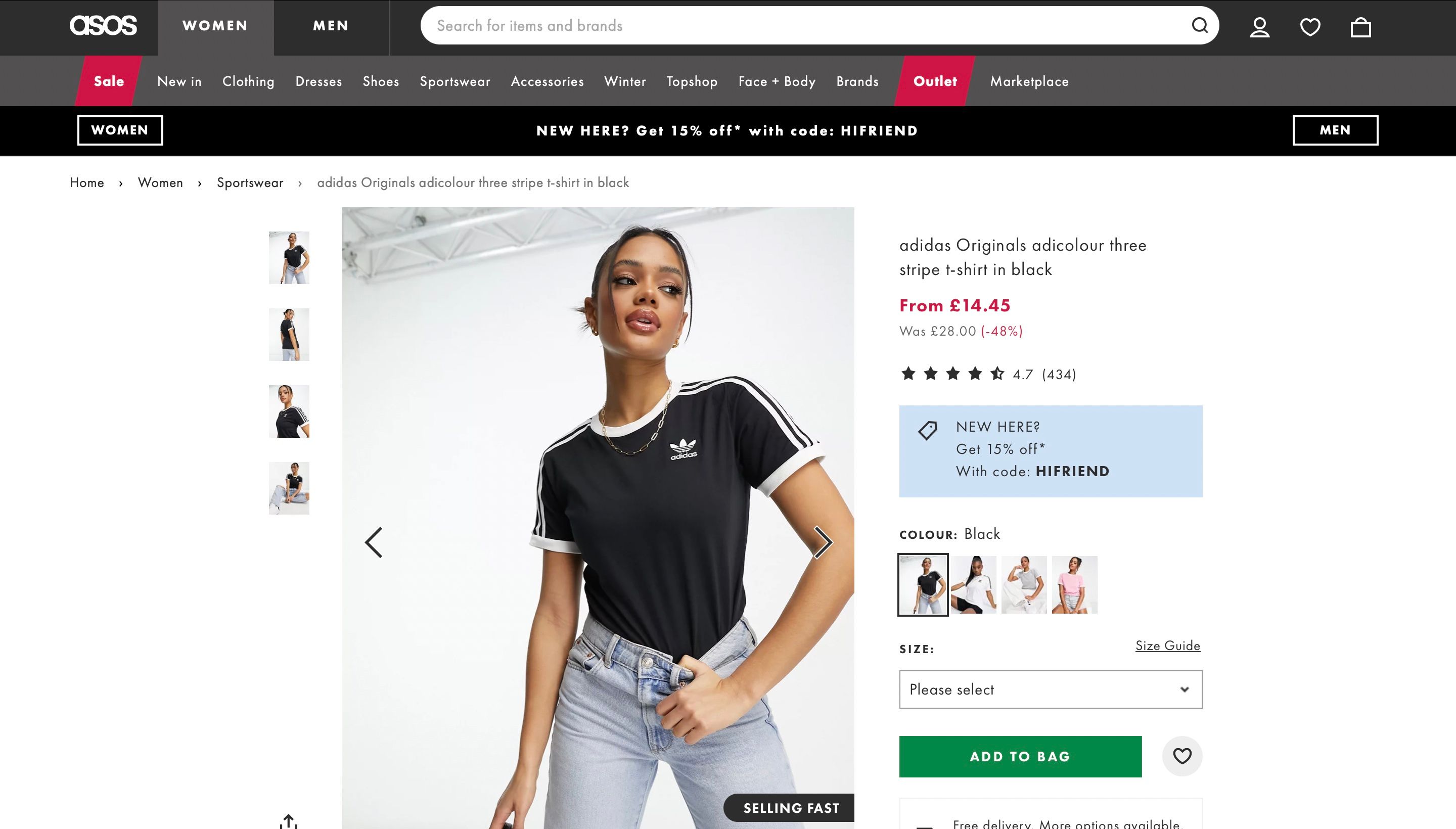
Detailed and descriptive product names If you’ve got a big catalogue then it’s worth taking a leaf out of the ASOS playbook.
The British brand uses hyper descriptive product titles that read like a search query. This helps customers find the exact products they’re looking for when searching its huge catalogue. (The search Women’s Jeans returns over 4,500 results alone.)
ASOS also makes good use of breadcrumb navigation, which helps customers see the roadmap they followed to get to a certain product. Breadcrumbs make it easy to return to a previous page, and by displaying breadcrumbs on its product page, ASOS makes it easier for customers to return to the categories they’re interested in.
Breadcrumb navigation also helps search engines like Google categorise and navigate your website.
5. Farfetch
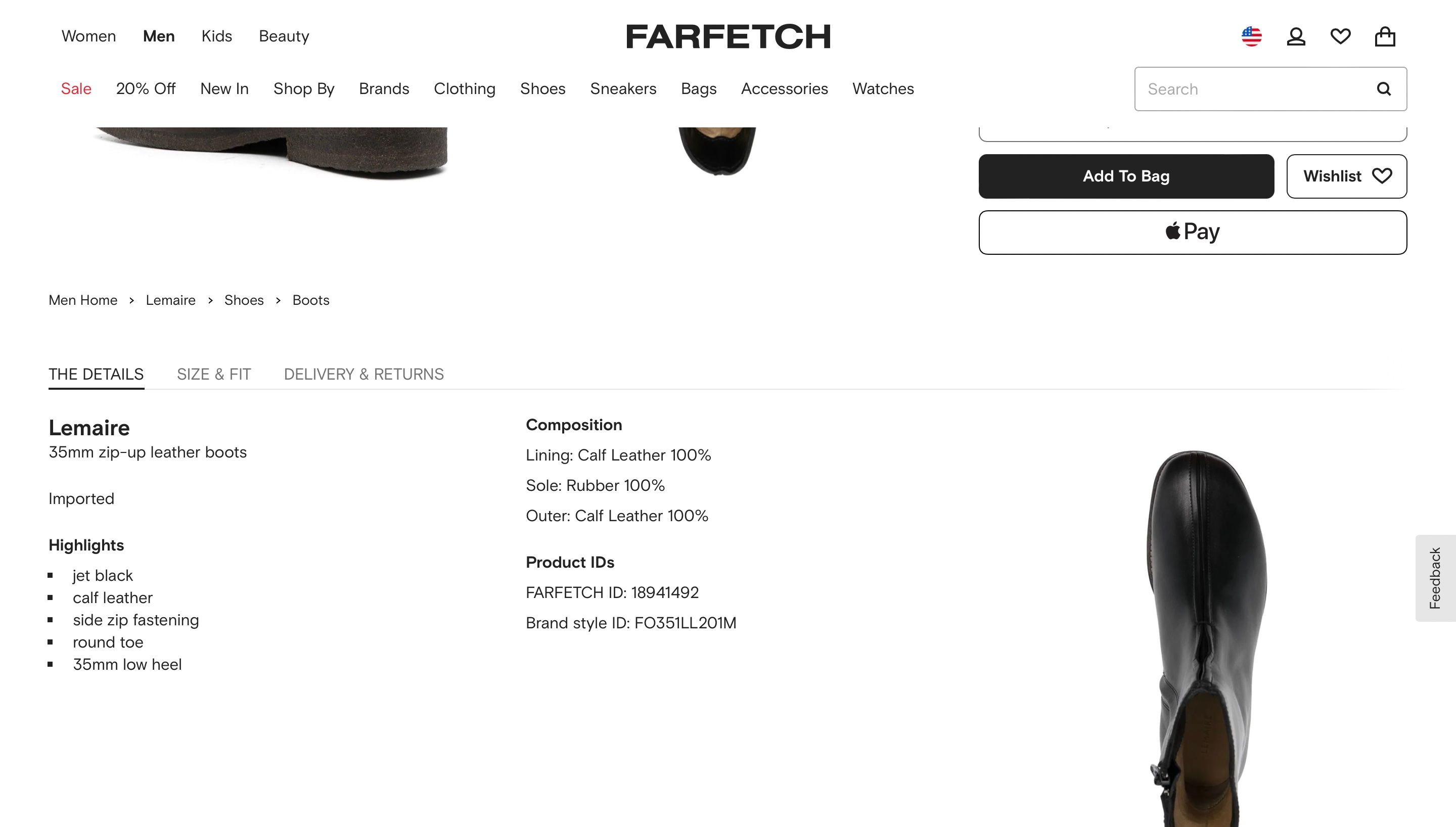
The luxury product marketplace keeps it simple with details above and below the fold.
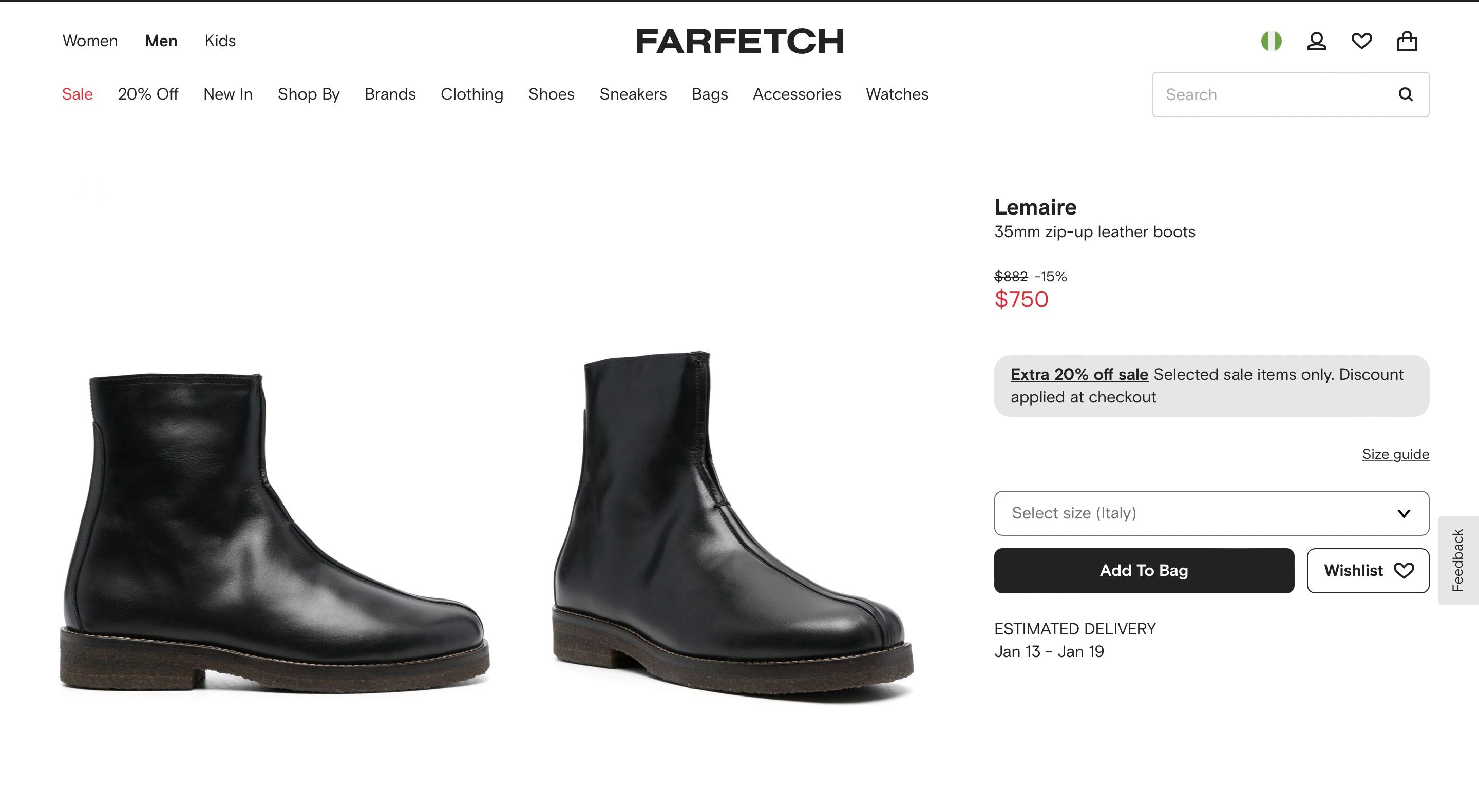
A simple design that highlights key information Simplicity sells, and Farfetch has crafted a product page that keeps the clutter out. Above the fold information includes pricing (often discounted), sizing and an estimated delivery date - rather than just the number of days delivery takes.
Below the fold, its product page uses breadcrumb navigation and tabs that allow customers to open up more detailed product descriptions, avoiding unnecessary scrolling.
6. Sonos
The Sonos audio empire begins with a product page built around a visual narrative.
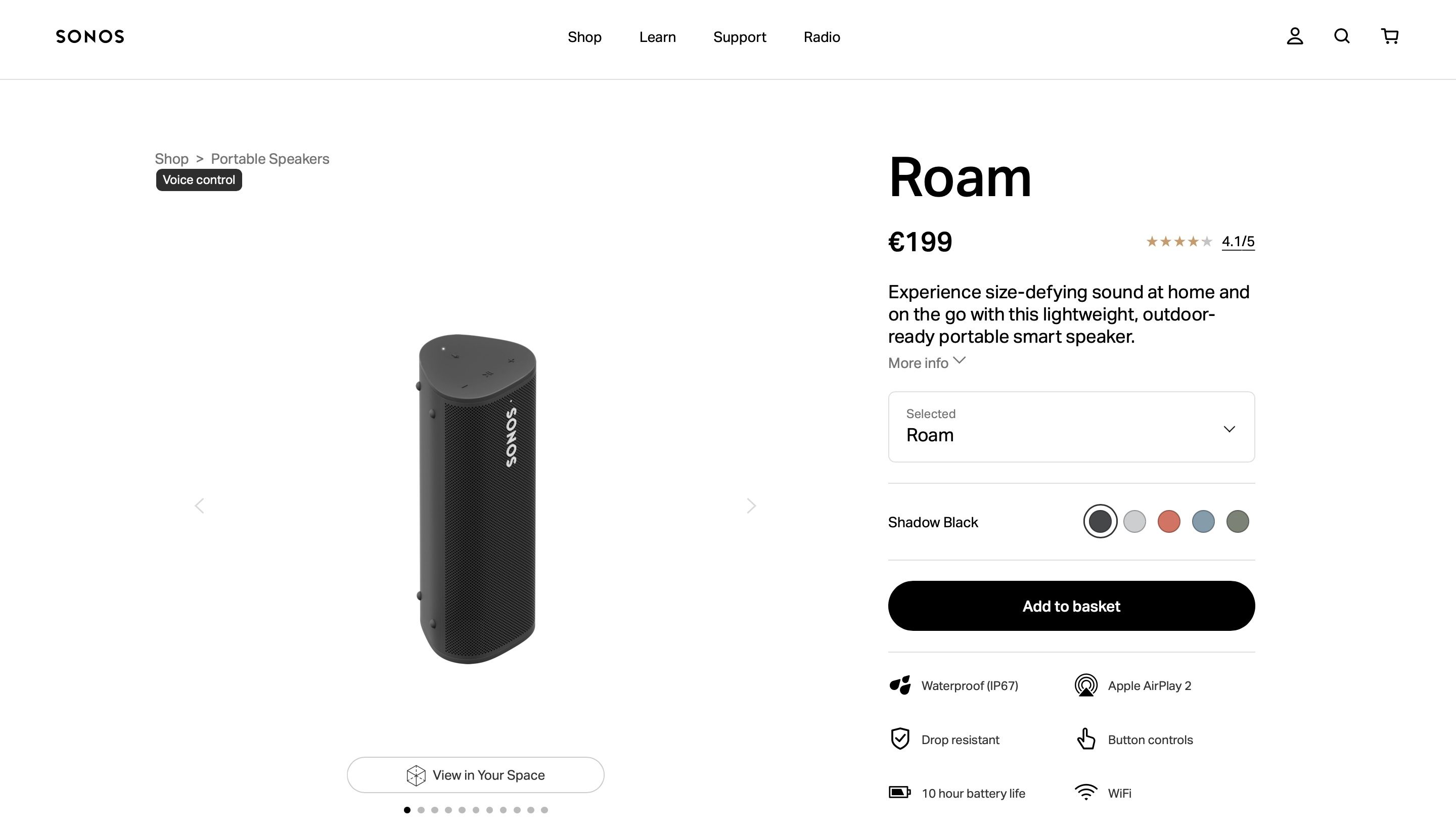
Images that tell a story The Sonos product pages emphasise how customers can integrate the speaker into their day to day life. Above the fold, the page is simple and easy to skim for information, with a drop down for more info and typical product images. But below the fold is where the magic happens.
It’s here that Sonos uses vivid images that show the product being used at the beach, the park or by the pool. The benefits driven, visual narrative also makes use of deferred loading; only loading images as the customer scrolls the page to reveal them.
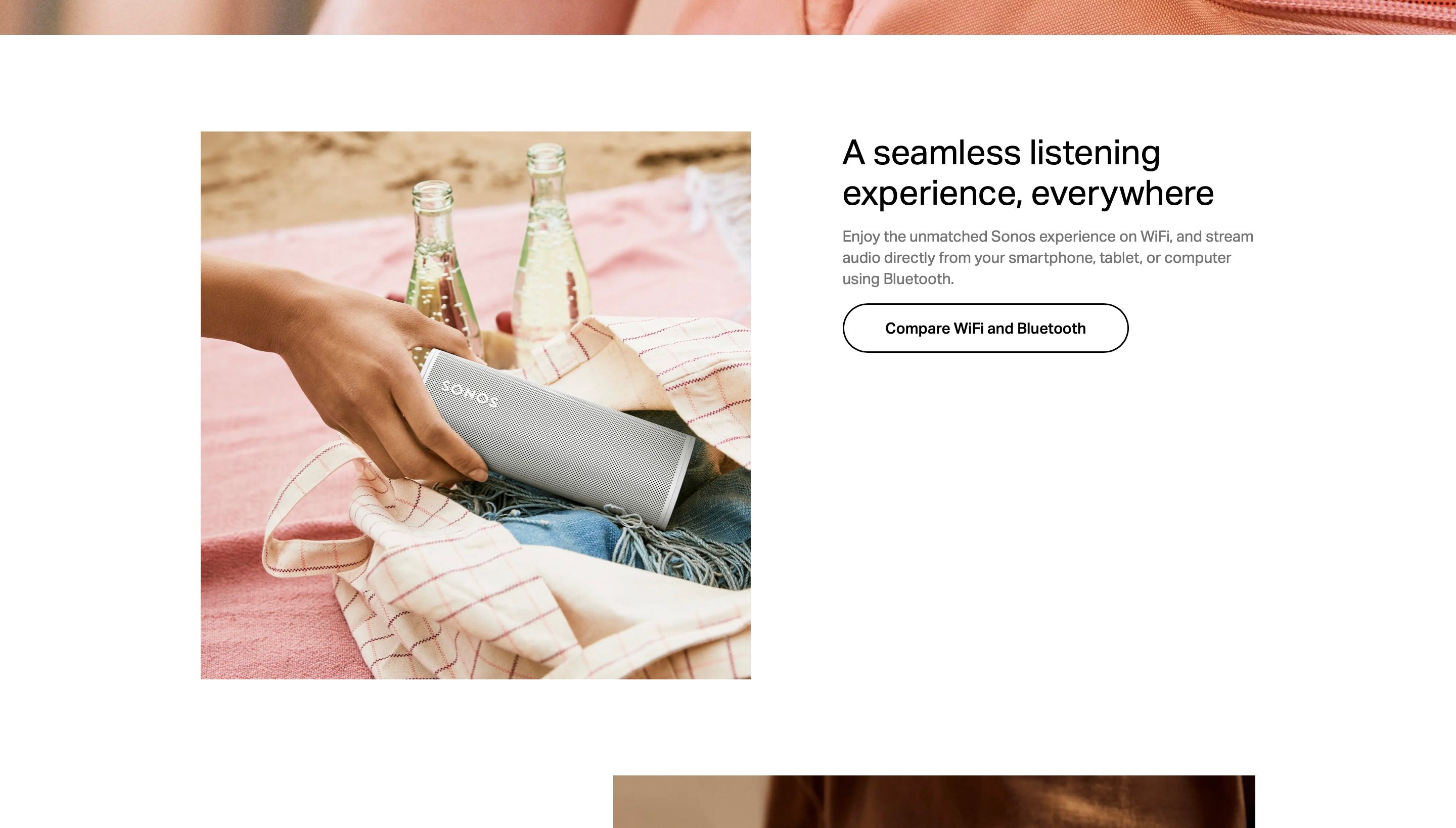
Although the product page has a lot of content, the deferred loading reduces load times and bounce rate, while also pleasing search engines.
Product page best practices
1. Make sure your page is easy to read Simplicity is your friend. Your product information should be laid out well and easy to read. Use drop down menus and expanding text to reveal extra information. Add more details below the fold and use tabs to avoid endless scrolling.
2. Harness the power of your product images Use high resolution and visually appealing images, but be careful with loading times. High-res images can weigh a lot and affect loading times. Use deferred loading to avoid customers bouncing from your shop. Use your images below the fold for visual storytelling.
3. Keep your SEO strategy in mind Internal links between products, breadcrumbs for site navigation, and FAQs are all great ways to show search engines you’re thinking of them too. Rich snippets and image alt text will also help in this area. But remember, your product page will be viewed by humans, so be sure to balance your SEO strategy with visitor experience.
4. Choose the right product names Use descriptive product names for big catalogues and avoid using the manufacturing name of the product.
5. Write clear and concise product descriptions Make your product descriptions easy to scan, and always be benefit driven. Address the pain points you know your customer has.
Looking for more?
5 quick and easy ways to increase sales on your ecommerce website
No time or Money? Your shop can still ace its customer service